MP3Gain vs waveAlign

MP3Gain and waveAlign both make your tracks play at a consistent volume. Both can change an MP3's loudness without decoding and re-encoding it. The difference is everything around it: how loudness is measured, what happens when a track would clip, which formats are covered, and whether the tool fits a modern DJ workflow. If you're looking for a modern MP3Gain alternative for DJing that handles more audio formats and platforms, this comparison is for you.
What MP3Gain actually does
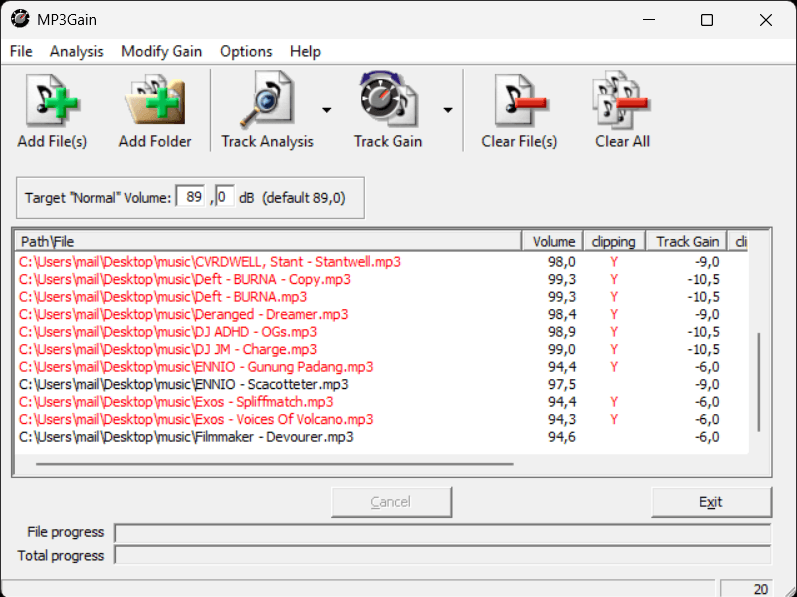
MP3Gain is a free, open-source tool by Glen Sawyer, dating back to 2001. It analyses your MP3s and adjusts them "so that they have the same volume." Its big idea was doing that losslessly: instead of decoding the audio, changing it and encoding it again, MP3Gain edits the global gain value stored in every MP3 frame.
That approach comes with one built-in constraint: the MP3 format only lets you change that gain value in whole steps of about 1.5 dB. Rounding to the nearest step leaves a track at most 0.75 dB from its target. That sits right at the edge of what the ear can detect, with a change of about 0.5-1dB being the threshold according to Jesteadt, Wier & Green, 1977.
The official graphical version runs on Windows. There is a command-line version for Linux, and macOS users rely on third-party ports. The project's last news update dates from 2018.
How MP3Gain measures loudness: ReplayGain
MP3Gain uses the ReplayGain algorithm, proposed by David Robinson in July 2001. It filters the audio to roughly match human hearing, measures its energy (RMS) in 50-millisecond blocks, and then picks the level that 95% of those blocks stay below. The result is compared with an 89 dB reference level to calculate how much each track should be turned up or down.
It was the first widely adopted alternative to peak normalization, and it was built with albums and home listening in mind.
Where waveAlign is different
waveAlign measures loudness with the BS.1770-5 broadcast standard with a short-term window (LUFS-S) and a custom windowing algorithm. This is a newer loudness standard first introduced in 2006 with the last update in December 2023. It is also the same family of measurements used by streaming platforms like Spotify, Apple Music and Netflix.
When a track only needs a gain change, waveAlign applies it also in a lossless manner similar to MP3Gain, for both MP3 and AAC (M4A files). No audio is re-encoded.
Why the measurement matters for club music
A typical club track is not evenly loud. It has a long intro, a breakdown, and a drop that hits far harder than everything around it.
ReplayGain uses a 95-percentile approach, meaning that it rates a track by the level its loudest 5% of 50-millisecond moments reach, rather than by its average level. So it is designed to describe how loud a piece of music feels overall. On a track with long quiet sections, that overall figure can say little about how loud the drop actually lands.
waveAlign's short-term LUFS-S analysis follows loudness moment to moment and aligns tracks on their loudest sustained section, usually the 'drop'. That's the part your crowd feels, and the part you're matching when you mix from one track into the next.
When a track would clip: turning down vs. limiting
This is the biggest practical difference.
Some tracks are highly dynamic: their peaks sit far above their average level. Raise them to match the rest of your library and those peaks would exceed full scale and clip.
MP3Gain can warn you about this, and its command-line tool offers a switch that "automatically lower[s] Track/Album gain to not clip audio." That keeps the file clean, but the track ends up quieter than the rest of your library. Highly dynamic tracks like pre-loudness-war era releases, vinyl rips or experimental music get left behind.
waveAlign handles these tracks with a custom limiter instead. It eases down just the few peaks that are in the way, transparently, so the track can reach the same loudness as everything else. For lossy formats this does require decoding and re-encoding. However, MP3s are carefully re-encoded while retaining all metadata and original encoding parameters.
To account for timing-shifts during re-encoding the MP3 or AAC file, waveAlign also carries over the original file's gapless timing information. The audio lands on exactly the same sample positions as before, so the cue points and beatgrids you set in rekordbox stay where you put them.
AAC and M4A files: MP3Gain vs. AACGain
MP3Gain itself only handles MP3. For AAC files there is a separate fork, AACGain, which applies the same lossless idea to M4A files.
waveAlign supports AAC/M4A files natively, in the same app as your MP3, WAV, AIFF and FLAC tracks. Gain-only changes are written in place without re-encoding. If your originals matter to you, waveAlign's backup option copies them first, keeping your existing folder structure.
At a glance
| Feature | waveAlign | MP3Gain |
|---|---|---|
| Consistent loudness across your library | ||
| Lossless gain change for MP3 (no re-encoding) | ||
| AAC / M4A support in the same app | ||
| WAV, AIFF and FLAC support | ||
| BS.1770 broadcast standard loudness measurement | ||
| Optimized for DJs | ||
| Built-in limiter for bringing dynamic tracks up to level | ||
| Preserves rekordbox cue points & beatgrids | ||
| Backups that keep your folder structure | ||
| Native macOS app | ||
| Actively maintained | ||
| Price | €79 one-time | Free |
If you are looking to optimize your home listening situation for your MP3-library and you're on Windows, MP3Gain already does what you need here for free.
If you're a DJ with a mixed library of audio formats from various different sources and you rely on your music library for playing gigs in front of an audience, you want a tool that is built for that and complies with modern loudness measurement standards. That's waveAlign.
Interested in more comparisons? See our Platinum Notes comparison and our rekordbox Auto Gain comparison.
FAQ
Is MP3Gain lossless?
Yes. MP3Gain changes the global gain value stored in each MP3 frame instead of re-encoding the audio, so no quality is lost. waveAlign uses the same technique for MP3 and AAC files whenever a gain change alone is enough.
Why does MP3Gain change volume in 1.5 dB steps?
Because that's the smallest step the MP3 format allows when you adjust gain without re-encoding. Any tool that changes MP3 volume losslessly, waveAlign included, works within that limit.
What's the best MP3Gain alternative for Mac?
There's no official MP3Gain app for macOS. waveAlign runs natively on macOS and Windows, handles MP3, AAC/M4A, WAV, AIFF and FLAC, and normalizes to the BS.1770 broadcast standard.
Does MP3Gain work with M4A or AAC files?
Not on its own. AAC support comes from AACGain, a separate fork. waveAlign supports AAC/M4A natively.
Does MP3Gain mess up rekordbox cue points?
Not usually. Because it doesn't re-encode, MP3Gain leaves the audio timing untouched. The limitation is a different one: tracks that would clip are left quieter instead of being brought up to level. waveAlign limits those tracks and preserves the original timing, so your cue points and beatgrids stay in place either way.
ReplayGain vs LUFS: which is better for DJs?
ReplayGain was designed in 2001 to describe the overall loudness of music for home listening. LUFS measurements based on BS.1770 are today's broadcast and streaming standard, and a short-term LUFS measurement follows loudness moment to moment, which matches how drop-driven club tracks are actually heard.
Is MP3Gain still maintained?
The project's most recent news update is from 2018. It still works, but it isn't actively developed.
Is waveAlign free like MP3Gain?
No. waveAlign is a one-time purchase of €79, with no subscription.
References
Like what you see? Share with a friend.
Ready for perfectly balanced audio?
Try waveAlign and experience consistent loudness across your entire library.
Buy Now