Platinum Notes vs Wavealign

Platinum Notes and waveAlign both make your library play at a consistent loudness, but they take very different routes, and they measure loudness in different ways too. Platinum Notes does a lot: it normalizes loudness, corrects pitch, repairs clipped peaks and offers a "warmth" effect. waveAlign focuses on one thing: it levels your library to the BS1770-4 broadcast standard and leaves everything else about your tracks untouched. If you're looking for a Platinum Notes alternative that keeps your sound intact and measures club loudness the way your crowd actually hears it, this comparison is for you.
What Platinum Notes actually does
Platinum Notes (€98, Mac and Windows) is an audio-processing tool from Mixed In Key. On each track it runs several things at once: loudness normalization, pitch correction to fix tuning, clipped-peak repair and optional "Big Boost" processing that pushes tracks louder to match the modern loudness trend. It can also convert formats, for re-encoding fiole-formats. The processed copies are written to an output folder, postfixing the filename with "_PN". One thing to watch for if your library is organized into subfolders: Platinum Notes doesn't replicate that structure for its backups, it dumps everything into one flat folder instead. waveAlign backs up your originals into the same folder structure you already have.
The result of Platinum Notes processing is a new file. The trade-off is that it changes more than loudness: your tracks are re-tuned and re-shaped. Steering away from the meticulously crafted sound the artist and mastering engineer have envisioned. You can turn of these functions in the settings though.
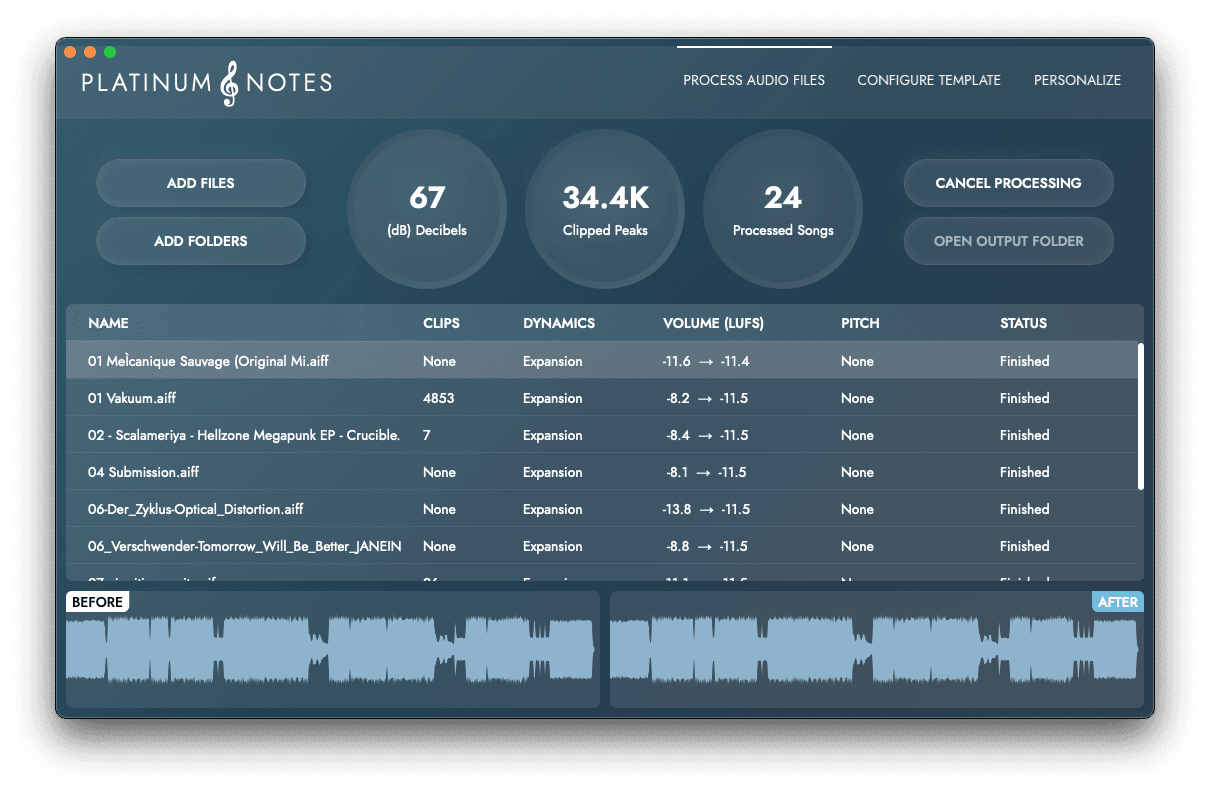
Platinum Notes processes each track's loudness, pitch and clipped peaks, then writes new files to an output folder
Where waveAlign is different
waveAlign is deliberately narrow. It analyses each track with a windowed measurement using the BS1770-4 broadcast standard, the same loudness standard Spotify, Apple Music and Netflix use, and adjusts only loudness to a consistent target using LUFS-Short (LUFS-S) rather than an integrated average.
Its custom limiter lifts quieter tracks up transparently if needed, and leaves pitch, tone and dynamics exactly as the producer and mastering engineer intended. At €79 one-time it's also a bit cheaper than Platinum Notes.
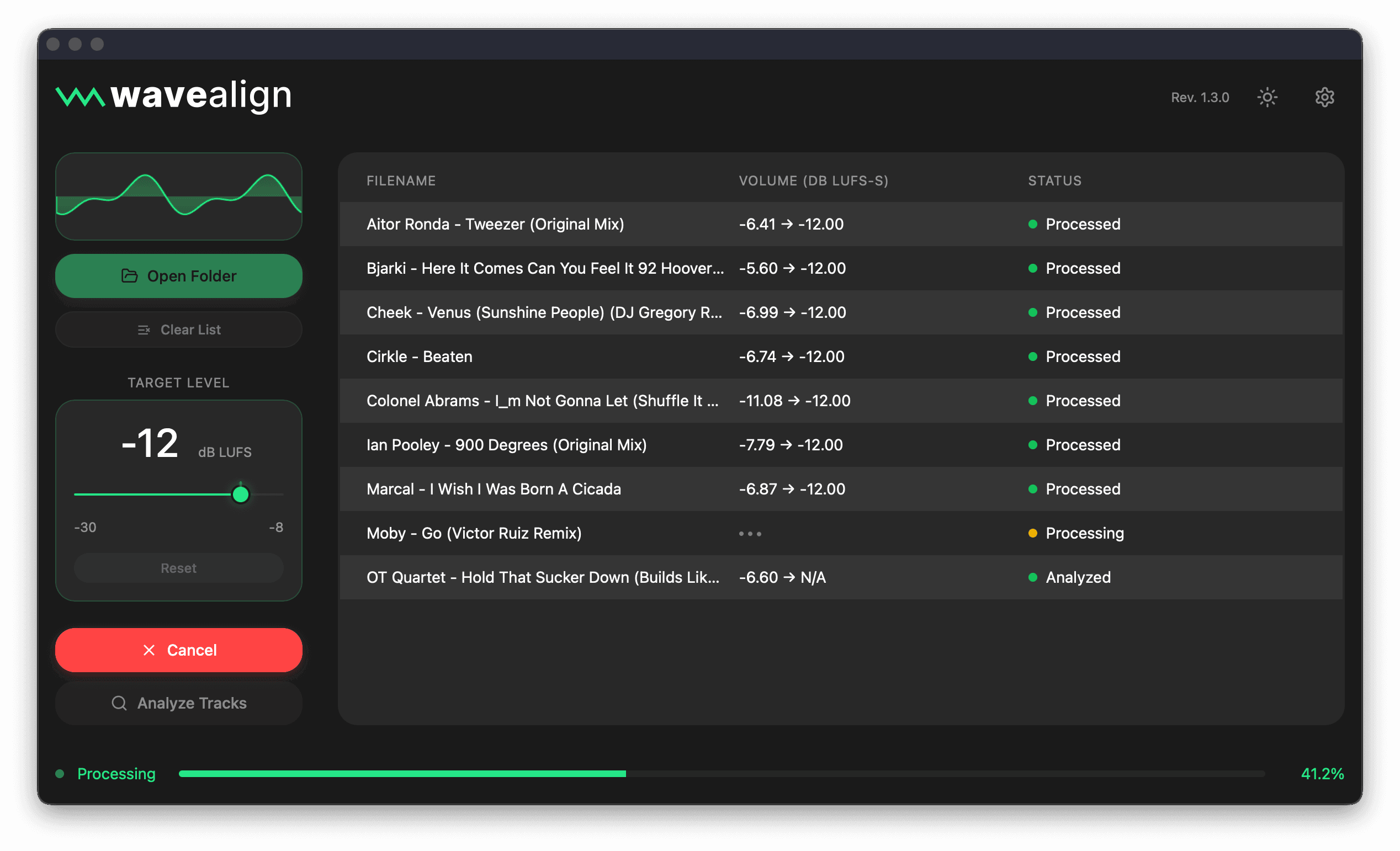
waveAlign focuses only on a track's loudness while leaving the sonic characteristics untouched
LUFS-S vs LUFS-I: why the measurement method matters for club music
This is where the two tools really diverge, not just in what they touch, but in how they decide what "loud" even means.
LUFS-I measures the average loudness across the whole track from start to finish. That works fine for a three-minute pop song with a fairly even structure. It falls apart for club music.
A typical club track spends a lot of its runtime in a quiet intro or breakdown, then hits a drop that's dramatically louder. LUFS-I blends all of that into one average. Two tracks with completely different drop intensity can end up measuring the same integrated loudness, because a long quiet breakdown drags the average down and hides how loud the drop actually hits.
LUFS-S measures loudness over a short rolling window instead of the whole track, so it tracks what's actually happening moment to moment. waveAlign uses this to find and align to the loudest sustained part of the track, usually the drop, which is the part your crowd actually feels on the dance floor.
The practical effect: because Platinum Notes measures with LUFS-I, tracks with long quiet sections and big drops get under-measured, so the tool pushes them louder to hit its target. Even when you set both tools to the same target LUFS number, Platinum Notes-processed tracks will often come out louder than waveAlign-processed ones, because the two tools aren't measuring the same thing. If you A/B the same track processed by both, don't be surprised if the Platinum Notes version hits noticeably harder even at a matching setting. That's not a bug in either tool, it's a real difference in accuracy for the kind of dynamic, drop-driven tracks DJs actually play.
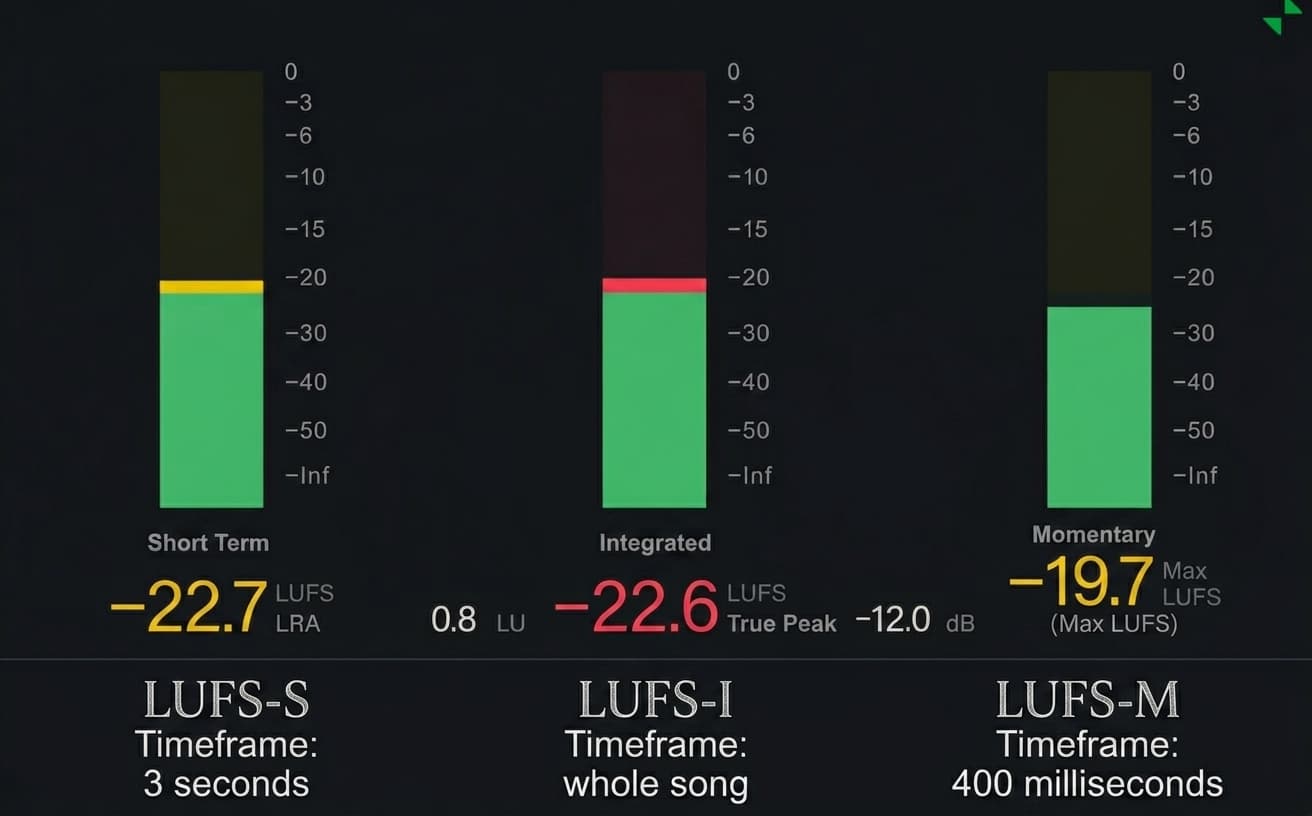
Using different LUFS standards leads significantly different loudness measurement results
The problem with rekordbox cue points
Platinum Notes doesn't edit files in place. It re-encodes each track and writes a new file - so even if you point it at the same folder, you're working with new files and have to re-import your library. And for MP3s there's a specific catch: re-encoding shifts the audio timing slightly, so cue points and beatgrids you already set no longer line up.
Here's why. Every MP3 encoder adds a small amount of silence at the start (encoder delay) and pads the end to fill the final frame. The exact amount depends on the encoder, and players rely on the gapless-playback info stored in the file's header to compensate for it. Re-encode the track and that delay and padding change, so the whole waveform slides by a few milliseconds - enough to knock sample-accurate cue points and beatgrids out of place.
With Platinum Notes the safe workaround is to process tracks before you import and cue them. waveAlign is built to preserve your existing cue points and beatgrids even when it processes MP3s, so you can level a library you've already prepped without it drifting out of sync. It also leaves your other metadata and the filenames untouched - so you can process your library, or a USB stick, in place, with no re-importing in rekordbox.
At a glance
| Feature | waveAlign | Platinum Notes |
|---|---|---|
| Consistent loudness across your library | ||
| custom-built Limiter specifically for DJ-library loudness correction | ||
| Leaves pitch, tone and dynamics untouched | ||
| Renames processed files | ||
| Uses the right LUFS standard for club music | ||
| Preserves rekordbox cue points & beatgrids | ||
| Repairs clipped peaks | ||
| Batch-process the whole library | ||
| Keeps your original files safe | ||
| Preserves folder structure in backups | ||
| macOS + Windows | ||
| Price | €79 one-time | $98 |
If you want to drastically alter the sound of your tracks alongside loudness normalization, then Platinum Notes is your choice.
Want consistent loudness on a broadcast standard, measured the way club music actually behaves, without altering how your tracks sound, for less? That's waveAlign.
If you do go with Platinum Notes, run it before importing tracks into your DJ software, since processing files that are already in your library can knock cue points and beatgrids out of alignment. With waveAlign you can simply process whatever you want, whenever you want.
If you play rekordbox, see also our rekordbox Auto Gain comparison.
FAQ
Is Platinum Notes worth it?
If you want an all-in-one cleanup: loudness, clipped-peak repair and pitch correction, then the €98 may be justified. If you only need consistent, accurate loudness for DJing, waveAlign does that transparently to a broadcast standard for less, without touching the rest of your sound.
Does Platinum Notes change your audio?
Yes. It corrects pitch, repairs clipped peaks and reshapes contrast, altering each track, not just its volume. waveAlign only adjusts loudness and leaves everything else untouched.
What's a good Platinum Notes alternative?
waveAlign is the go-to Platinum Notes alternative if what you want is consistent, accurate loudness. It normalizes to the BS1770-4 broadcast standard using LUFS-S measurement, which is more accurate for drop-driven club tracks than the LUFS-I measurement Platinum Notes uses. It keeps your tracks' character intact and costs less. It doesn't do timbre changes or pitch correction, so if you need those, that's what Platinum Notes is for.
Why do Platinum Notes tracks sound louder than waveAlign tracks at the same LUFS setting?
Because they measure loudness differently. Platinum Notes uses LUFS-I, which averages loudness across the whole track and gets skewed low by quiet breakdowns, so the tool boosts harder to compensate. waveAlign uses LUFS-S, which tracks the loudest sustained part of the track, typically the drop, so its loudness reading is already accurate without over-boosting.
Does Platinum Notes mess up cue points?
It can, if you process files that are already imported into your DJ library, since the new files fall out of sync with your grids and cues. The fix is to run it before importing tracks.
Is waveAlign cheaper than Platinum Notes?
Yes. waveAlign is €79 one-time; Platinum Notes is €98.
References
Like what you see? Share with a friend.
Ready for perfectly balanced audio?
Try waveAlign and experience consistent loudness across your entire library.
Buy Now